
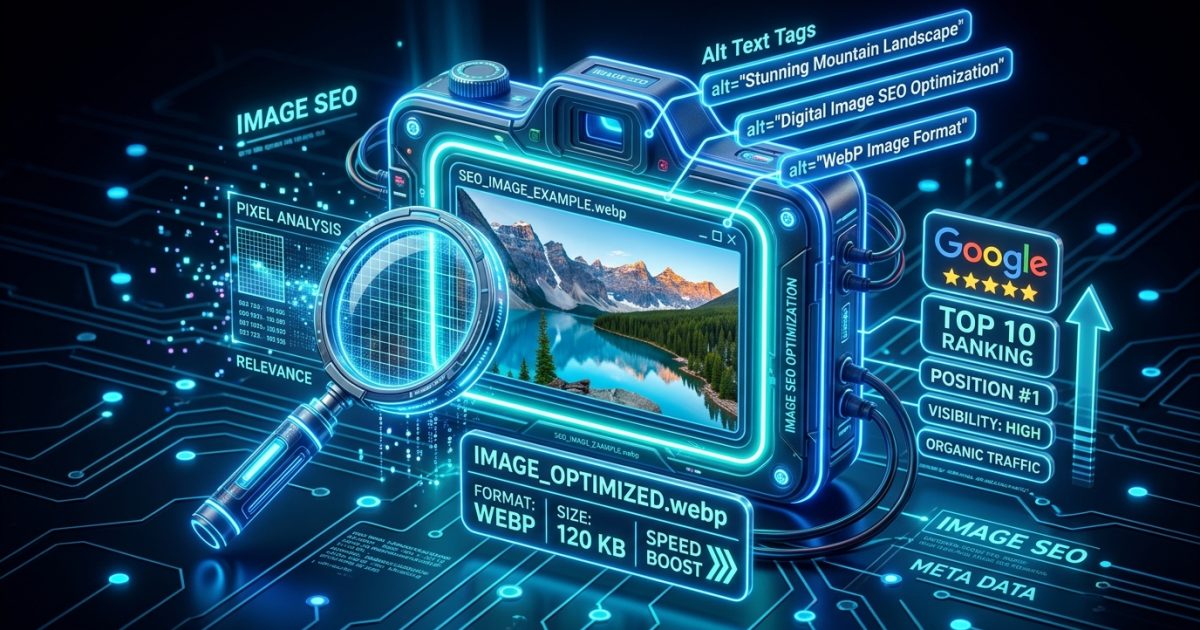
Visual content is one of the most underutilized traffic drivers in modern digital marketing. With Google Images processing billions of queries daily and visual search technologies like Google Lens exploding in popularity, optimizing your website’s imagery is no longer optional, it is a critical pillar of technical SEO.
Unoptimized, bloated image files slow down page load times, degrade user experience, and damage your Core Web Vitals. Conversely, properly structured, compressed, and contextually tagged images improve user engagement, enhance accessibility, and capture high-intent search traffic from Google Image Search.
In this comprehensive guide, we will break down every single aspect of Image SEO, from advanced file naming algorithms and alt text optimization to next-gen formats and automated CDN delivery.
Why Image SEO Matters for Organic Growth
Search engines cannot “see” images the way humans do. While computer vision and machine learning models have advanced rapidly, search engine crawlers still rely heavily on text indicators, including file names, surrounding paragraph copy, caption tags, and alternative text attributes, to determine the context, relevance, and quality of an image.
1. Strategic Image File Naming Conventions
The file name is the first clue you provide to search engines about what your graphic represents. Never upload raw camera files or generic default names directly to WordPress.
- ❌ Avoid Generic Names:
IMG_004921.jpg,screenshot-1.png,banner-final-v2.jpg - ✅ Use Hyphen-Separated Descriptive Names:
on-page-seo-checklist-2026.webp,wordpress-speed-optimization-benchmark.webp - Keep It Concise: Use 3 to 6 words that accurately describe the visual without keyword stuffing.
2. The Formula for High-Ranking Alt Text (Alternative Text)
Alt text serves two vital purposes: it provides screen readers with a description for visually impaired visitors, and it tells search engine bots what the image displays if the media fails to load.
Best Practices for Crafting Perfect Alt Text:
- Be Specific & Descriptive: Describe the visual elements accurately in 8 to 15 words.
- Include Target Keywords Contextually: Integrate your primary or secondary keyword only if it naturally matches what is visible in the picture.
- Avoid Redundancies: Do not start with “Image of…” or “Photo showing…”, screen readers already announce it as an image.
- Keep Under 125 Characters: Most popular screen-reading software cuts off descriptions beyond 125 characters.
Pro Tip: Pair descriptive image alt text with clean on-page heading hierarchy; see our On-Page SEO Techniques Guide for a complete optimization checklist.
3. Adopt Next-Gen Image Formats (WebP & AVIF)
Traditional formats like JPEG and PNG are notoriously heavy. Next-generation formats offer superior compression algorithms that drastically reduce file sizes while maintaining pristine visual fidelity.
| Image Format | Best Use Case | Compression Efficiency |
|---|---|---|
| WebP | Blog post illustrations, banners, hero graphics | 30%-80% smaller than JPEG/PNG |
| SVG | Logos, UI icons, line graphs | Infinitely scalable, near-zero file weight |
| AVIF | Ultra-high definition photography | 50% smaller than WebP with HDR support |
| PNG | Transparent overlays, screenshots | Lossless, but heavy file size |
4. Prevent Cumulative Layout Shift (CLS) with Explicit Dimensions
When browsers load web pages, they calculate layout boxes before downloading images. If your <img> tags lack explicit width and height attributes, the page content will jump around as images load, triggering severe Core Web Vitals penalties.
Always ensure your WordPress theme outputs dimension attributes on all media elements, allowing the browser to reserve the exact aspect ratio box before the image asset downloads.
5. Responsive Images with srcset & Picture Tags
A desktop monitor might display a 1200px wide image, but delivering that same 1200px asset to an iPhone on a 4G connection wastes cellular bandwidth and slows rendering. WordPress automatically implements srcset attributes so mobile browsers download appropriately scaled 300px or 600px image variations.
6. Social Media Open Graph (OG) Images
When users share your content on social networks (Facebook, Twitter/X, LinkedIn, WhatsApp), an eye-catching thumbnail determines whether people click through. Use the 16:9 ratio standard (1200 × 630 pixels) and preview your social cards using our free Website Theme Detector & CMS Checker.
Frequently Asked Questions About Image SEO
How large should my blog post images be?
Aim to keep individual web images under 100 KB to 150 KB. For large hero banners, try not to exceed 200 KB. Use WebP compression to maintain sharpness without file bloat.
Should every image have alt text?
Every informational image must have descriptive alt text. However, purely decorative graphics (like background gradients or border icons) should have an empty alt attribute (alt="") so screen readers skip them.
Summary Checklist for Image SEO
- ✅ Rename raw image files with keyword-rich, hyphenated words.
- ✅ Write concise, descriptive alt text under 125 characters.
- ✅ Convert all PNGs and JPEGs to modern WebP format.
- ✅ Include explicit width and height dimensions to eliminate CLS.
- ✅ Use 1200×630px dimensions for social sharing Open Graph tags.
Frequently Asked Questions
Do featured images affect Google Discover traffic?
Yes, Discover is image-led, and pages using large, high-resolution images (1,200px+ wide, properly marked with max-image-preview:large) are eligible for the largest Discover cards, which consistently drive more impressions than text-only results.
Is WebP safe to use everywhere in 2026?
For practical purposes, yes; every modern browser renders it. Keep a JPEG fallback for the rare legacy cases, and let your optimization plugin handle conversion automatically.
Does image SEO still matter with AI search?
More than ever: image alt text, descriptive filenames, and surrounding context are how both classic image search and AI answer surfaces understand and correctly attribute your visuals.