
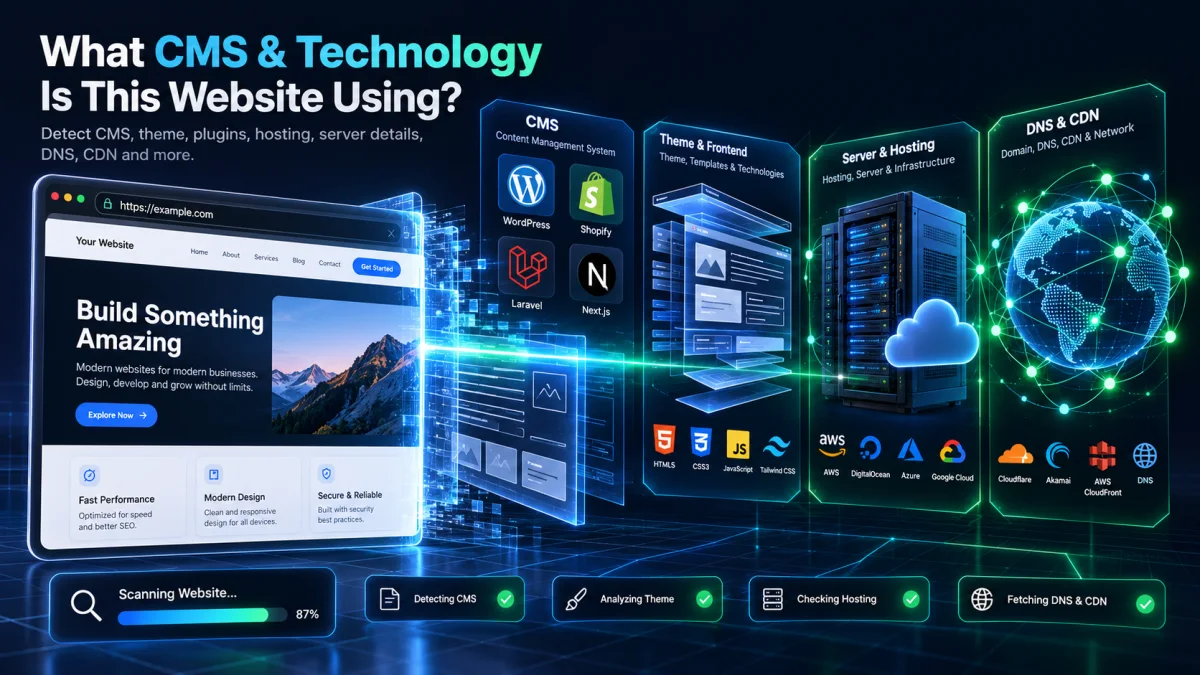
Every day, software engineers, SEO strategists, digital agencies, and founders visit high-performing websites and ask: “What CMS, theme, and technology stack is this website built with?”
Knowing whether a competitor or client domain runs on WordPress, Shopify, Laravel, Magento (Adobe Commerce), Adobe Experience Manager (AEM), Webflow, Wix, Squarespace, Next.js, React, Vue, or a custom backend gives you an immediate competitive advantage. You can evaluate their page speed architecture, uncover their active plugins or marketing pixels, and see who hosts their infrastructure.
In this comprehensive engineering guide, we explain how to identify any website’s CMS, active theme, frontend JavaScript framework, web hosting provider, CDN, and DNS records in seconds.
1. Run an Instant Scan With Our Free Website Theme Detector & CMS Checker
Instead of manually inspecting dozens of HTTP headers, cookies, and minified script bundles, you can identify the complete technology footprint of any domain in one click using our free Website Theme Detector, CMS & Technology Checker.
- CMS & Backend Framework Detection: Instantly distinguishes between WordPress, WooCommerce, Shopify, Laravel, Magento 2, Adobe AEM, Webflow, Wix, Squarespace, Ghost, Drupal, Django, Ruby on Rails, ASP.NET, and custom SSR web applications.
- Active Theme & Parent Framework Lookup: If the site uses WordPress or Shopify, the Theme Detector extracts the exact active theme name, version, author, and underlying parent framework (such as Astra, Avada, Divi, GeneratePress, or Hello Elementor).
- Frontend JavaScript & CSS UI Stack: Detects React, Next.js App Router, Nuxt.js, Vue.js, Angular, Svelte, Astro, Livewire, Inertia.js, Alpine.js, Tailwind CSS, and Bootstrap.
- Who Hosts This Website, CDN & DNS: Resolves origin hosting providers (Kinsta, WP Engine, Hostinger, Cloudways, SiteGround, Vercel, AWS), edge CDNs (Cloudflare, Fastly, CloudFront), DNS nameservers, and MX email gateways.
2. How to Identify Major CMS Platforms by Their Technical Fingerprints
Every content management system and web framework leaves distinct signatures across four layers: DOM asset paths, HTTP response headers, session cookies, and global JavaScript objects. Here is the reference table our engineering team uses when auditing websites:
| CMS / Framework | DOM & Asset Path Signature | Cookie / HTTP Header / JS Object |
|---|---|---|
| WordPress | /wp-content/themes/, /wp-content/plugins/, /wp-includes/ |
wp-json REST link header, wp-emoji-release.min.js |
| Shopify | cdn.shopify.com/s/files/, /cdn/shop/t/ |
window.Shopify.theme, _shopify_y cookie, x-shopid header |
| Laravel | /build/assets/app-*.js (Vite), Livewire wire:id attributes |
laravel_session cookie, XSRF-TOKEN cookie |
| Next.js / React | /_next/static/chunks/, id="__next" root container |
window.__NEXT_DATA__, x-nextjs-cache, x-vercel-id |
| Magento (Adobe Commerce) | /static/version.../frontend/, text/x-magento-init |
X-Magento-Vary cookie, RequireJS Magento mixins |
| Adobe Experience Manager | /etc.clientlibs/, /content/dam/ |
AEM HTL core component classes (cmp-page, cmp-text) |
| Webflow | assets-global.website-files.com, data-wf-site attribute |
w-nav, w-webflow-badge CSS classes |
3. How to Check Who Hosts a Website (Even Behind Cloudflare CDN)
When a website routes its traffic through a reverse proxy CDN like Cloudflare, running a basic IP lookup only returns Cloudflare’s edge IP address instead of the origin web host. To uncover the real hosting provider:
- Inspect Origin HTTP Response Headers: Managed WordPress and cloud hosts inject specific cache and platform headers that pass right through Cloudflare, including
x-kinsta-cache(Kinsta),wpe-backend(WP Engine),x-litespeed-cache+platform: hostinger(Hostinger),x-github-request-id(GitHub Pages), andx-vercel-id(Vercel). - Check DNS TXT & SPF Verification Records: Domain TXT records frequently reveal cloud verification tokens (Google Workspace, Microsoft 365, AWS, Cloudflare, Stripe, Postman) and email sending gateways.
- Measure Origin vs. Edge TTFB: Our Website Theme Detector inspects both the CDN edge cache status and server response headers automatically.
4. Reverse Lookup: Find Other Websites Built With the Same WordPress Theme or Plugin
Once you identify that a high-converting website runs a specific WordPress theme or plugin, you can switch to our WordPress Theme & Plugin Websites Finder to explore thousands of other live domains using that exact same technology, compare verified user ratings, and export the domain list to CSV.
Related guides to explore next:
- How to Check What WordPress Theme and Plugins a Website Is Using
- How to Detect Any Store’s Shopify Theme, OS 2.0 Template and Active Apps
- 15 Most Popular WordPress Themes and Plugins Used by Top Websites
Frequently Asked Questions
Can I check what CMS a website uses for free?
Yes. Enter any domain into the GrowthNiq Website Theme Detector & CMS Checker to see its CMS, active theme, plugins, JavaScript frameworks, hosting provider, CDN, DNS records, and HTTP security grade 100% free with no registration required.
How can I tell if a website is custom coded or built with a CMS?
If a website shows no standard CMS directories (such as /wp-content/ or cdn.shopify.com) and instead serves bundled assets from /build/assets/ (Laravel Vite), /_next/static/ (Next.js), or custom API endpoints, it is running a custom framework or headless web application.